> ## Documentation Index
> Fetch the complete documentation index at: https://uom-demo.vercel.app/docs/llms.txt
> Use this file to discover all available pages before exploring further.
# Introduction
> Welcome to the Universal Object Mapping (UOM) Assistant Documentation
**Universal Object Mapping (UOM)** is an advanced research and engineering platform designed to automate the translation, validation, and performance optimization of database schemas and query code across diverse Object-Relational Mapping (ORM), Object-Document Mapping (ODM), and Object-Graph Mapping (OGM) paradigms.
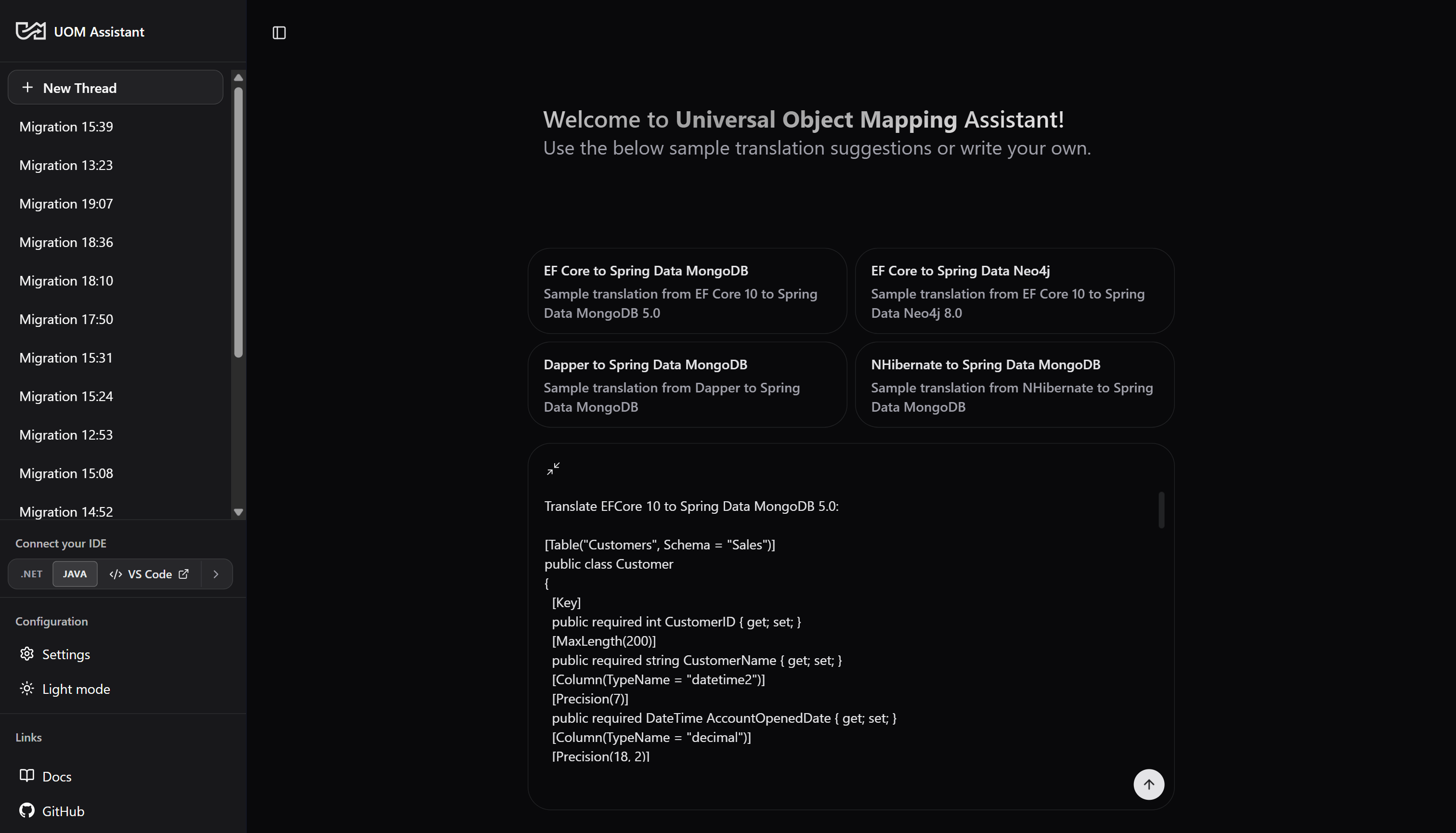
Developed within the **Adaptive Data Management (ADaM) Research Group** at the Department of Software Engineering, Charles University (Faculty of Mathematics and Physics), the project addresses the complex challenges of multi-model database migrations. UOM transitions relational .NET ORM structures (.NET Entity Framework Core, Dapper, NHibernate) into document and graph-based Java Spring Data ecosystems (Spring Data MongoDB, Spring Data Neo4j) with structural compile-and-execute guarantees.
 ***
## 1. Project Background & Pedigree (ORMorpher)
UOM builds directly upon **ORMorpher** (originally developed by Milan Abrahám as part of his Master's thesis, and later published in the *IEEE/ACM International Conference on Automated Software Engineering - ASE 2025*).
* **Legacy Rule Engine**: ORMorpher established C# compiler-based heuristics using the Roslyn Scripting API to map SQL/LINQ queries to an Abstract Representation. It then used **Integer Linear Programming (ILP)** to dynamically benchmark and select optimal .NET frameworks based on runtime constraints.
* **The LLM Advisor Extension**: The UOM project extends this foundation by introducing an autonomous **LLM Advisor** to handle cross-paradigm schema and query transitions (Relational C# to Document/Graph Java). Rather than relying on rigid, hardcoded rules that struggle with heterogeneous schema mapping (like embedding tables vs. document nesting), UOM deploys an iterative, stateful [LangGraph](https://www.langchain.com/langgraph) translation machine.
***
## 2. Platform Architecture & Data Flow
The complete UOM system coordinates containerized database engines, schema adapters, a Next.js user interface, and isolated Daytona compilation sandboxes:
```mermaid theme={null}
graph TD
User([User / Developer]) -->|Interacts| Frontend[Next.js Frontend
***
## 1. Project Background & Pedigree (ORMorpher)
UOM builds directly upon **ORMorpher** (originally developed by Milan Abrahám as part of his Master's thesis, and later published in the *IEEE/ACM International Conference on Automated Software Engineering - ASE 2025*).
* **Legacy Rule Engine**: ORMorpher established C# compiler-based heuristics using the Roslyn Scripting API to map SQL/LINQ queries to an Abstract Representation. It then used **Integer Linear Programming (ILP)** to dynamically benchmark and select optimal .NET frameworks based on runtime constraints.
* **The LLM Advisor Extension**: The UOM project extends this foundation by introducing an autonomous **LLM Advisor** to handle cross-paradigm schema and query transitions (Relational C# to Document/Graph Java). Rather than relying on rigid, hardcoded rules that struggle with heterogeneous schema mapping (like embedding tables vs. document nesting), UOM deploys an iterative, stateful [LangGraph](https://www.langchain.com/langgraph) translation machine.
***
## 2. Platform Architecture & Data Flow
The complete UOM system coordinates containerized database engines, schema adapters, a Next.js user interface, and isolated Daytona compilation sandboxes:
```mermaid theme={null}
graph TD
User([User / Developer]) -->|Interacts| Frontend[Next.js Frontend
uom-translator-ui:3000]
Frontend -->|Queries / Chats| LangGraph[LangGraph Server
langgraph-api:8000]
subgraph Services ["Docker Compose Stack / services"]
Orchestrator[Orchestrator Service
Python Engine] <-->|Drives Graph| LangGraph
Toolbox[GenAI DB Toolbox MCP
db-toolbox:5000] <-->|Schema Inspections| Orchestrator
MongoMCP[MongoDB MCP Server
mongodb-mcp-server:3010] <-->|Mongo Inspections| Orchestrator
MSSQL[(MS SQL Server
mssql_db:1433)] <-->|Relational Source| Toolbox
Mongo[(MongoDB Database
mongodb:27017)] <-->|Target ODM| MongoMCP
Neo4j[(Neo4j Database
neo4j:7687)] <-->|Target OGM| Toolbox
Migrator[MongoDB Relational Migrator
migrator:8080] -->|Relational ETL| Mongo
end
subgraph DaytonaEnv ["Daytona Docker Workspaces"]
Daytona[Daytona Sandbox Daemon] <-->|Restores Environments| Orchestrator
DotnetSandbox[dotnet-10-sandbox] -->|Compiles EFCore/Dapper| MSSQL
JavaSandbox[java-25-sandbox] -->|Compiles Mongo/Neo4j| Mongo
JavaSandbox -->|Compiles Cypher| Neo4j
end
```
### 2.1 Component Matrix
* **Frontend User Interface ([frontend/uom-translator-ui](https://github.com/corovcam/Universal-Object-Mapping/tree/main/frontend/uom-translator-ui))**: A modern Next.js App Router client utilizing [assistant-ui](https://github.com/assistant-ui/assistant-ui) library components. Styled with [TailwindCSS](https://tailwindcss.com/) and [Shadcn/UI](https://ui.shadcn.com/), it streams compilation diagnostic logs and [DeepDiff](https://zepworks.com/deepdiff/current/index.html) result comparisons back to the user in real time.
* **LLM Orchestrator ([services/orchestrator](https://github.com/corovcam/Universal-Object-Mapping/tree/main/services/orchestrator))**: A Python-based service running a stateful [LangGraph](https://github.com/langchain-ai/langgraph) execution graph. Details of its state definitions, compiler nodes, and thread parameters are documented in the **[Orchestrator README](https://github.com/corovcam/Universal-Object-Mapping/blob/main/services/orchestrator/README.md)**.
* **Validation Sandboxes**: Ephemeral environment containers (.NET 10 SDK and Java OpenJDK 25) managed via [Daytona](https://github.com/daytonaio/daytona) to compile and execute generated code without risk to the host filesystem.
* **Relational Source Database**: A Microsoft SQL Server instance (`mssql_db`) pre-loaded with the **WideWorldImporters** sample dataset.
***
## 3. Semi-Automatic ETL & Data Migration Pipelines
To validate query translations against real-world datasets, the target document (MongoDB) and graph (Neo4j) database engines must contain matching, logically equivalent data models. UOM defines a **one-time, semi-automatic ETL process** to map and migrate relational schemas:
1. **Relational-to-Document Migration (MongoDB)**:
* Configured using [MongoDB Relational Migrator](https://www.mongodb.com/docs/relational-migrator/getting-started/) (web dashboard at [https://migrator.uom.dyn.cloud.e-infra.cz/](https://migrator.uom.dyn.cloud.e-infra.cz/)).
* Users define how SQL columnar tables and primary/foreign key relationships map into MongoDB document collections, specifying document embedding patterns (e.g. embedding order items within parent orders) vs. referencing models.
* The migrator connects via JDBC and executes the ETL pipelines, populating the `uom` database in MongoDB.
2. **Relational-to-Graph Migration (Neo4j)**:
* Configured using the [**Neo4j ETL Tool**](https://neo4j.com/labs/etl-tool/) and APOC plugins OR via the [Neo4j ETL CLI](https://neo4j.com/labs/etl-tool/1.5.0/neo4j-etl/) for more control and to bypass UI issues. (NOTE: Neo4j ETL Tool UI is only available in [Neo4j Desktop v1.6](https://neo4j.com/docs/desktop/1.6/) and older)
* Maps relational tables to graph nodes, and foreign-key joins to node relationship labels (e.g. `(:Order)-[:CONTAINS]->(:Product)`).
* Populates the graph database, providing equivalent dataset structures prior to Cypher validation.
JDBC connection configurations are mapped inside the [services/etl](https://github.com/corovcam/Universal-Object-Mapping/tree/main/services/etl) directory.
***
## 4. Setting It Up
Development requirements, a step-by-step local quick start (env files, container stack, ETL, Daytona key, LangGraph server, and Next.js frontend), and production deployment are all consolidated in one place:
Requirements + the full local quick start, top to bottom.
Production Compose profiles, env configuration, and operations.
***
## 5. Subsystem Documentation Index
Review the following modular documentation files for detailed, verbose analyses of UOM's backend orchestrator, Next.js frontend, and DevOps pipelines:
### 5.1 UOM Orchestrator Backend Subsystem
Details graph logic, node transitions, and ReAct agent deprecations.
Explains the `translation_messages` isolation layer and Context reflection.
Details baseline snapshot builds, exponential backoffs, and log streams.
Reviews Base64 encoding, Maven executions, DeepDiff, and swapped sorting orders check logic.
Analyzes ACP session modes, local context inspection bash scripts, and CompositeBackend routing.
Details SSE connections, MongoDB HTTP clients, and database safety fallback parameters.
### 5.2 UOM Advisor Frontend Dashboard
Introduces the translation workspace features, suggestion engines, and workspace layout.
Explains the API passthrough proxy, client-side SDK clients, state propagation context, and style utilities.
Details configuration injection, sub-graph events, thread list synchronization adapters, and checkpoint tracking.
Exhaustive details on Settings onboarding, Daytona remote IDE links, auto-scroll JSON visualizers, and streamdown markdown parsers.
Details dev requirements, production multi-stage Docker builds, and Biome coding standards.
Explains how to start translation sessions, configure targets, diagnose build errors, and handle suspended human-in-the-loop checkpoints.
### 5.3 DevOps & Deployment Operations
Exhaustive details on Docker Compose profiles, environment setups, sandbox timeouts, init/destroy scripts, and database initialization pipelines.
***
## Acknowledgements
Part of the `benchmarks` source code, including some workflows and diagrams, were developed by Milan Abrahám as part of his Master thesis titled *Framework-Agnostic Query Adaptation: Ensuring SQL Compatibility Across .NET Database Frameworks*. The thesis is available at [http://hdl.handle.net/20.500.11956/203083](http://hdl.handle.net/20.500.11956/203083), and the source code is available at [https://github.com/milan252525/orm-convertor](https://github.com/milan252525/orm-convertor).